Risk Overview
The Risk Overview menu provides a consolidated view of risk information identified for data sources and users.
The menu contains the following submenus:
- Risk Dashboard
- Data Source Risk
- User Risk
Risk Dashboard
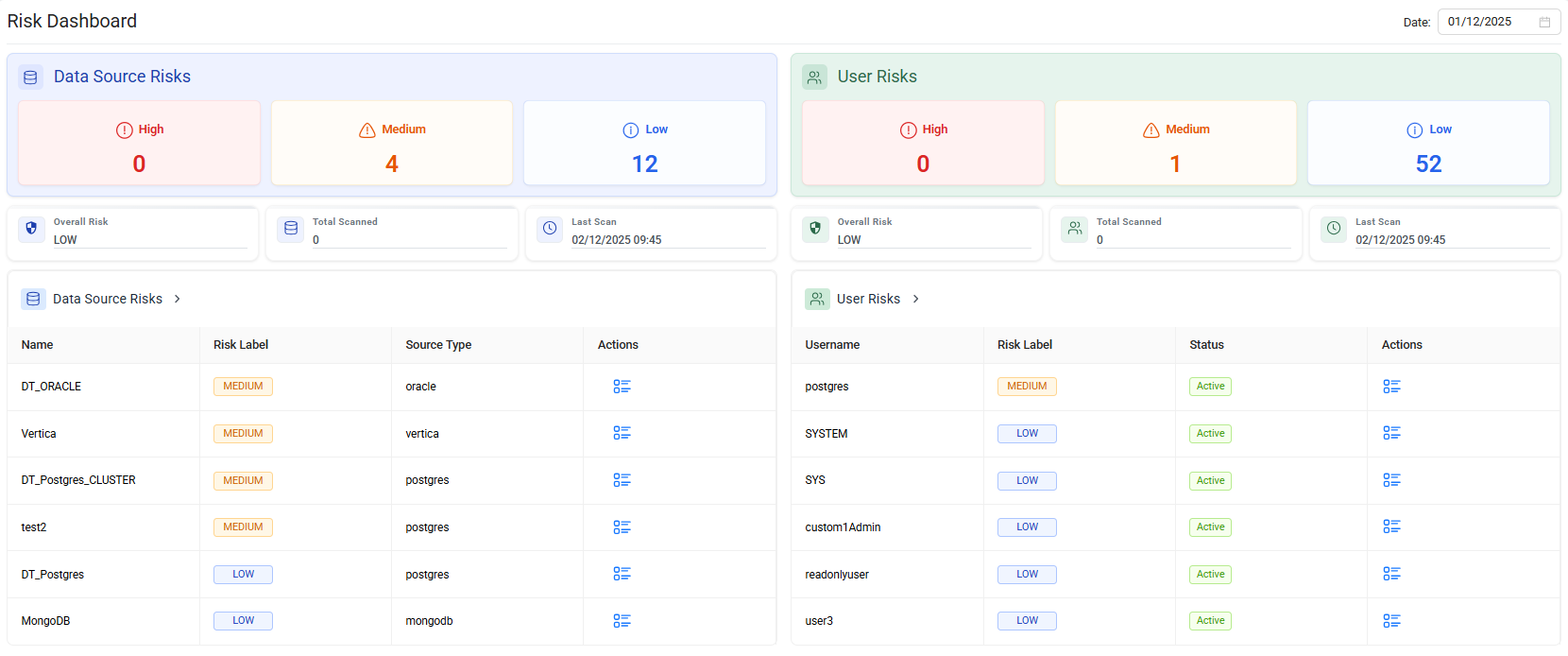
The Risk Dashboard provides a high-level overview of risk analysis for data sources and users.
You can use the date filter to limit the displayed risk information to a specific period.
The dashboard includes the following sections:
- Data Source Risk
- User Risk
Data Source Risk
The Data Source Risk section ranks data sources by risk score.
The dashboard displays the six data sources with the highest risk scores.
Select Data Source Risks > to open the Data Source Risk page and view all data source risk records.
User Risk
The User Risk section ranks users by risk score.
The dashboard displays the six users with the highest risk scores.
Select User Risks > to open the User Risk page and view all user risk records.
View risk details
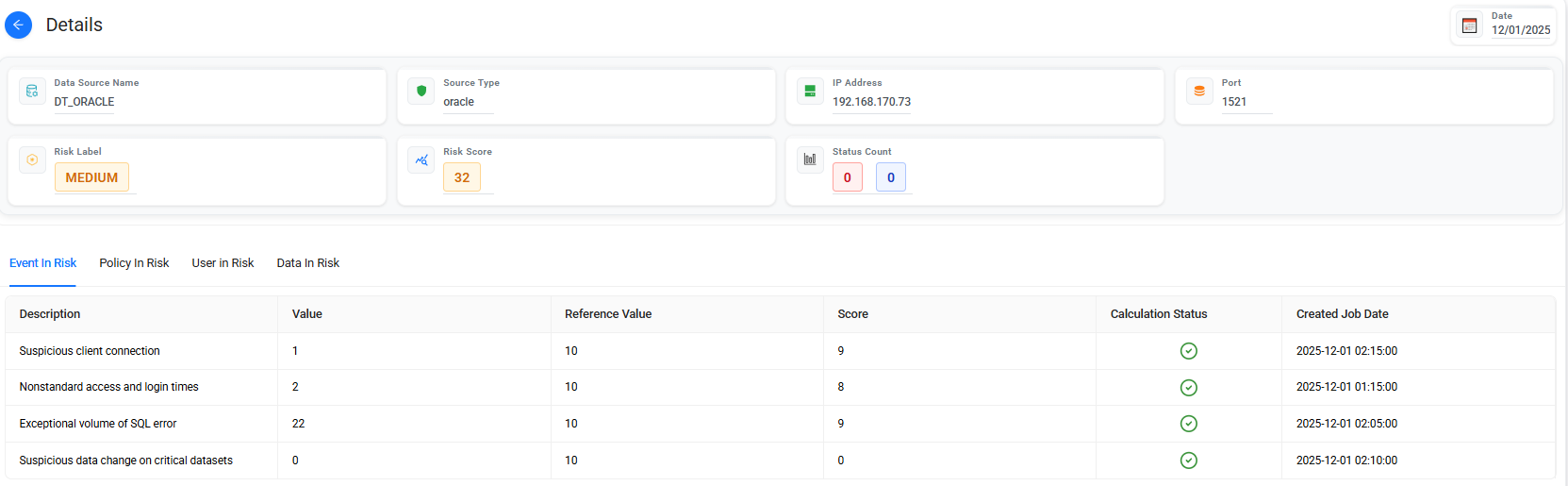
Select the Risk Details  icon in the Actions column to open the detailed risk information for the selected data source or user.
The details page provides additional information about the factors associated with the calculated risk.


Data Source Risk
The Data Source Risk page provides detailed risk analysis for data sources.
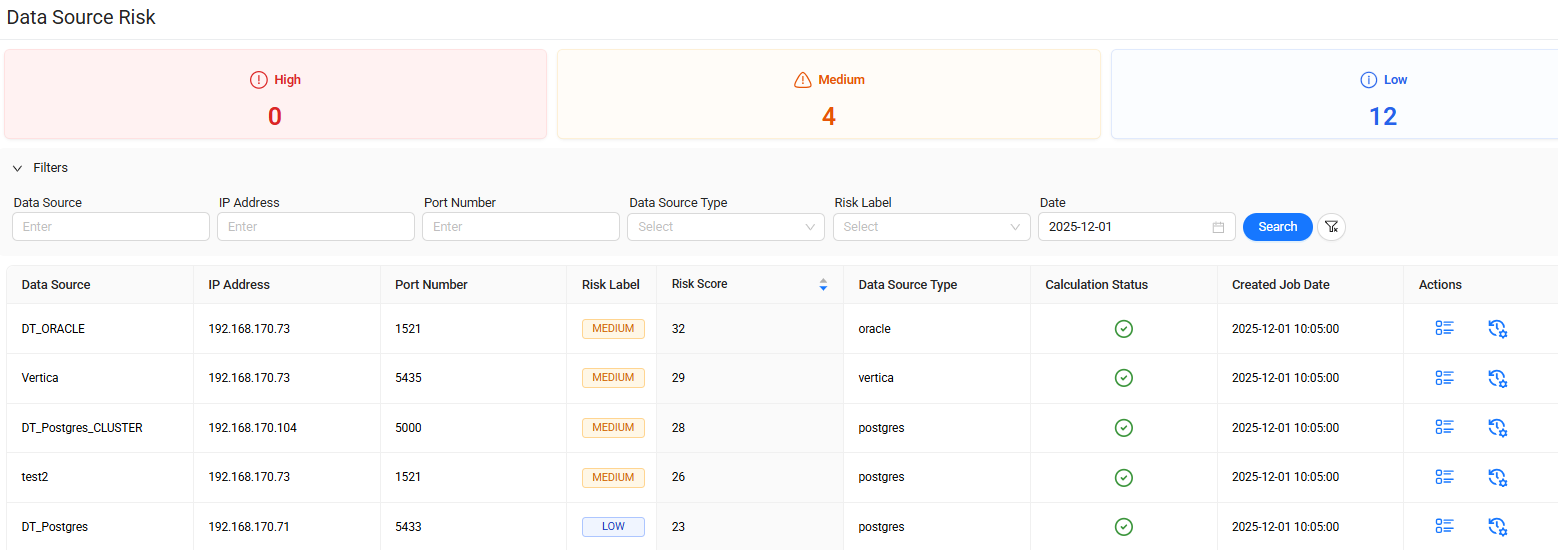
The page lists data sources together with their associated risk information.
You can sort the list by Risk Score in ascending or descending order to identify higher- or lower-risk data sources.
Use this page to review and compare risk levels across all available data sources.
View Data Source Risk details
Select the Risk Details icon in the Actions column to open detailed risk information for the selected data source.
View Data Source Risk logs
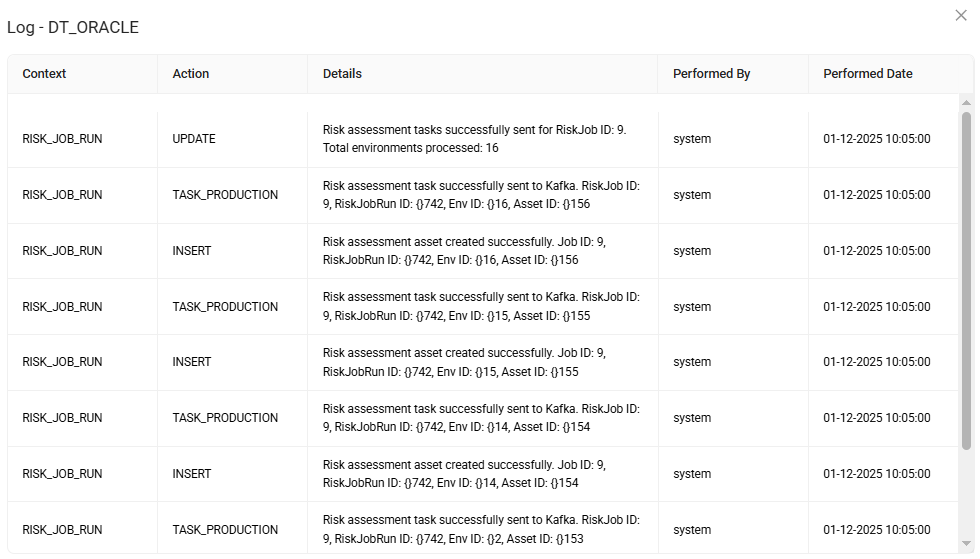
Select the Log Details  icon in the Actions column to open the log details associated with the selected data source.
The log details page provides the underlying activity information related to the risk record.
User Risk
The User Risk page provides detailed risk analysis for users.
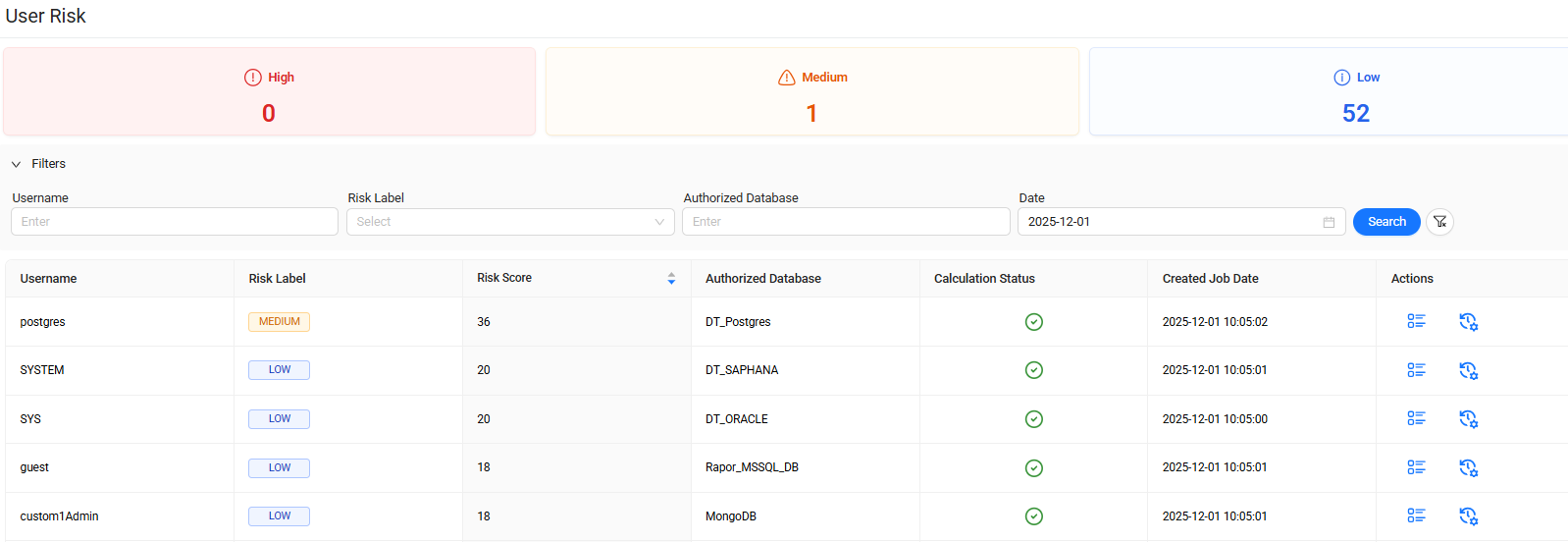
The page lists users together with their associated risk information.
You can sort the list by Risk Score in ascending or descending order to identify higher- or lower-risk users.
Use this page to review and compare risk levels across all users.
View User Risk details
Select the Risk Details icon in the Actions column to open detailed risk information for the selected user.
View User Risk logs
Select the Log Details icon in the Actions column to open the log details associated with the selected user.
The log details page provides the underlying activity information related to the risk record.