Lineage
Data Lineage provides a visual representation of how data moves through the system and how it is related to other data assets and clients.
It helps you trace how data is:
- Created
- Used
- Modified
- Transferred
Data lineage provides visibility into the origin, usage, relationships, and transformations of data throughout its lifecycle.
The following lineage views are available:
- Table Lineage
- Column Lineage
- Client Lineage
To create a lineage view:
- Select a Discovery Integration.
- Select a Catalog Name.
- Select a lineage type.
- Configure the available filters.
- Select View.
The generated lineage is displayed directly on the page.
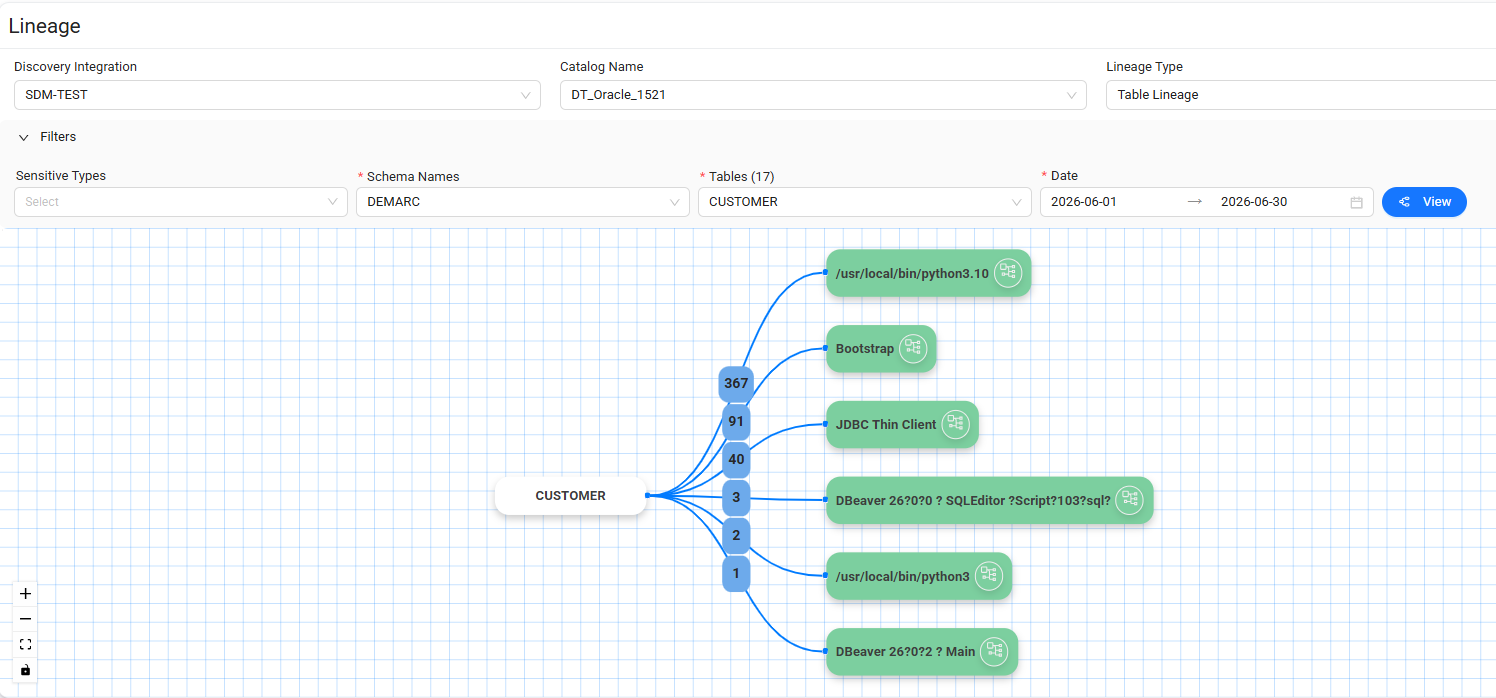
Table Lineage
The Table Lineage view shows the relationships between the selected table and related schemas and tables.
To create a Table Lineage visualization:
- Select a Sensitive Type.
- Select a Schema Name.
- Select a Table.
- Select a Date.
- Select View.
Data Touch displays the resulting relationships in the lineage visualization.
When you select a client in the lineage visualization, Data Touch displays the related client activity in a list below the visualization.
The list includes the following details:
- Client Hostname
- Database User
- Client IP
- Category
- Query
- Time Created
- Query Details
Use Query Details to view detailed information about the corresponding query.
Select Client Lineage  to view detailed lineage information for a related client.
Column Lineage
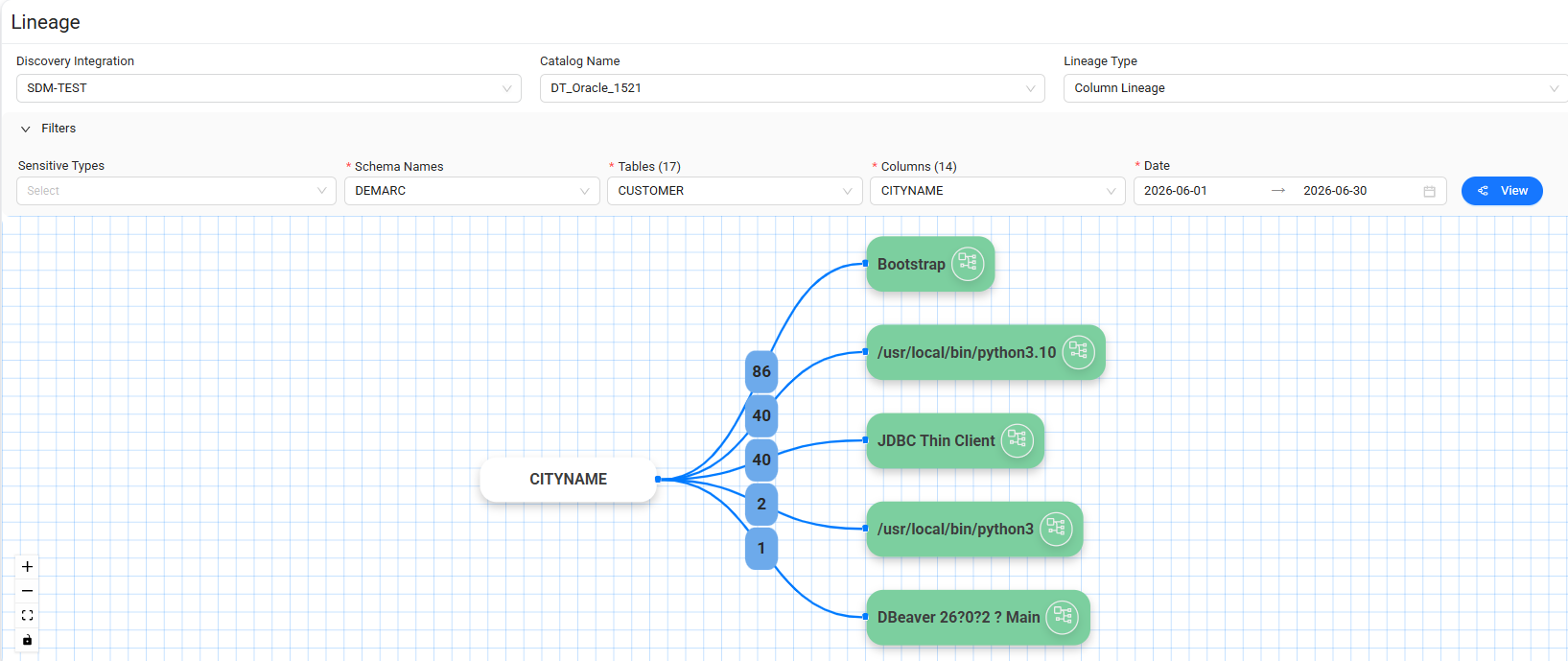
The Column Lineage view shows the relationships between the selected columns and related schemas and tables.
To create a Column Lineage visualization:
- Select a Schema Name.
- Select a Table.
- Select one or more Columns.
- Select a Date.
- Select View.
Data Touch displays the resulting column relationships in the lineage visualization.
When you select a client in the lineage visualization, Data Touch displays the related client activity in a list below the visualization.
The list includes the following details:
- Client Hostname
- Client IP
- Category
- Query
- Time Created
- Query Details
Use Query Details to view detailed information about the corresponding query.
Select Client Lineage to view detailed lineage information for a related client.
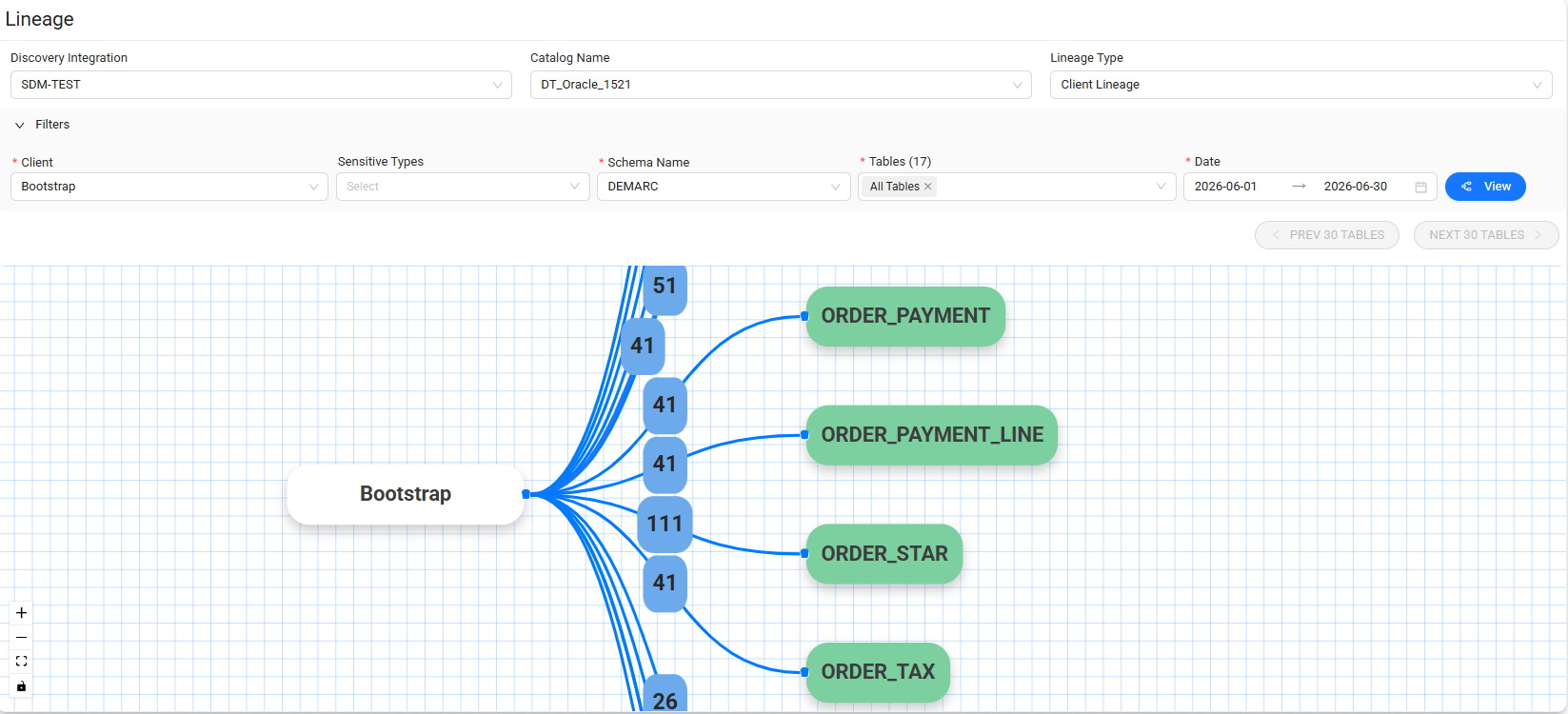
Client Lineage
The Client Lineage view shows the relationships between the selected client and related schemas.
To create a Client Lineage visualization:
- Select a Client.
- Select a Schema Name.
- Select a Date.
- Select View.
Data Touch displays the resulting client and schema relationships in the lineage visualization.
The list below the visualization includes the following details:
- Client Hostname
- Client IP
- Category
- Query
- Time Created
Use Query Details to view detailed information about the corresponding query.