ORACLE Data Source Spectrum Reports
The reports for Object Privileges, User Privilege Report, User Granted to Become User, User Granted to Alter System, All System Privileges and Admin Options, Roles Granted, User Granted Role and Table Count, All Admin and User Roles, All User, and All User and Admin Count can be generated for the Oracle data sources.
The following permissions are required for the following Oracle objects:
- select on dba_users
- select on all_tables
- select on dba_role_privs
- select on dba_sys_privs
- select on dba_roles
- select on dba_tab_privs
- select on all_users
These permissions are necessary for the SQL queries in the fetch_report methods of the various classes within DatabaseRepo. The queries access system views to retrieve user, role, privilege, and table information. These reports are explained in detail below.
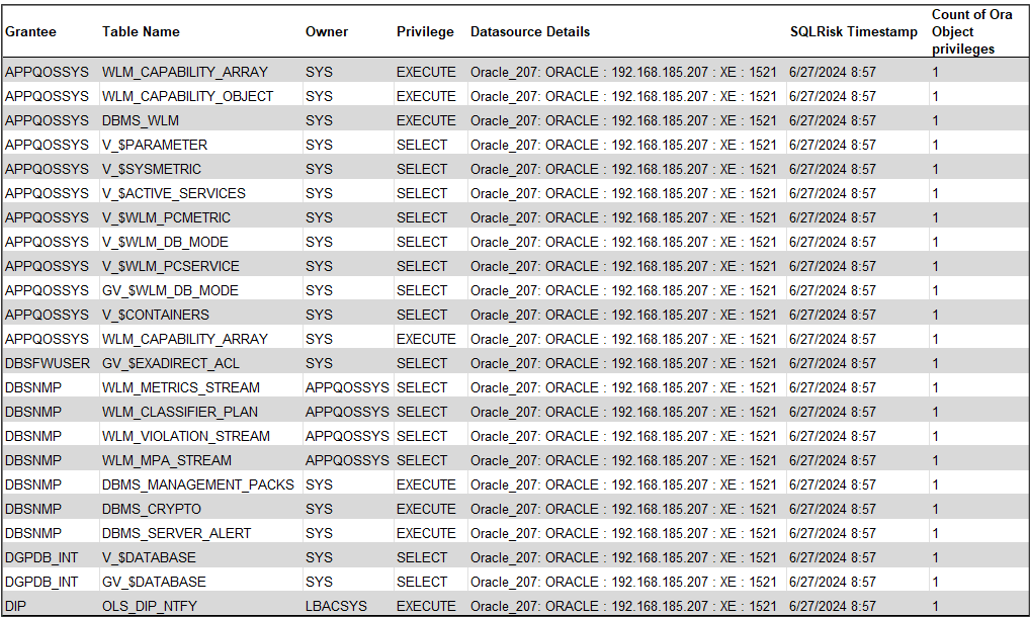
Object Privileges
The report provides information about user accounts in an Oracle database, including the number of roles granted to each user and the data source details. It is useful for tracking user privileges and understanding the structure of user roles within the database.
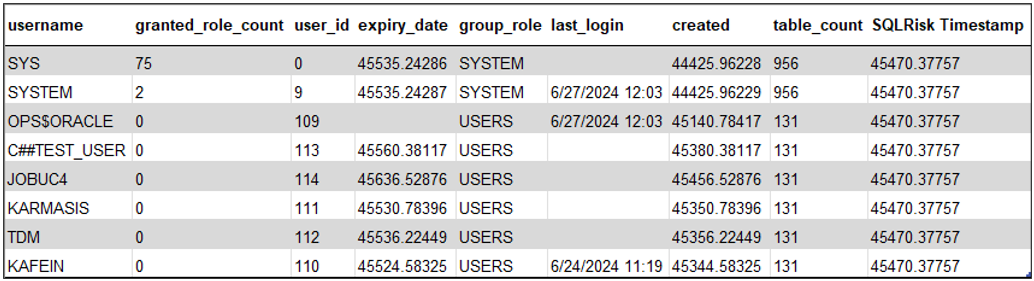
User Privilege Report
The report details a list of Oracle database users, including their roles, IDs, account expiration dates, group roles, last login times, creation dates, table counts, and a timestamp for when the data was recorded. The report is useful for managing user privileges and monitoring account activities within the database.
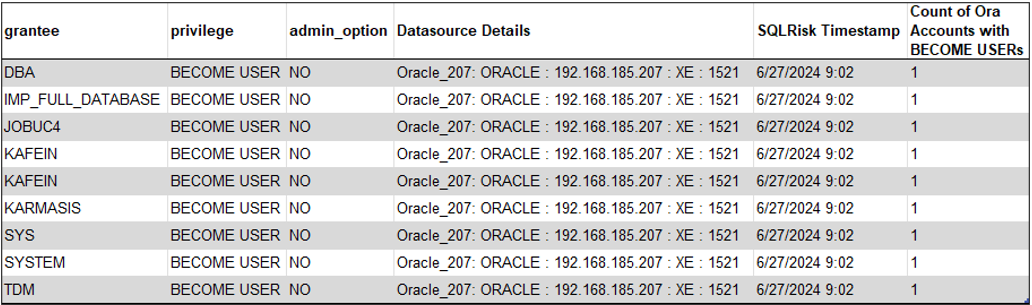
User Granted to Become User
The report lists Oracle database users (grantees) who have been granted the "BECOME USER" privilege, indicating their ability to assume the identity of another user. Each entry includes details about the privilege, whether it includes admin options, the data source, the timestamp of the data, and a count of accounts with this privilege.
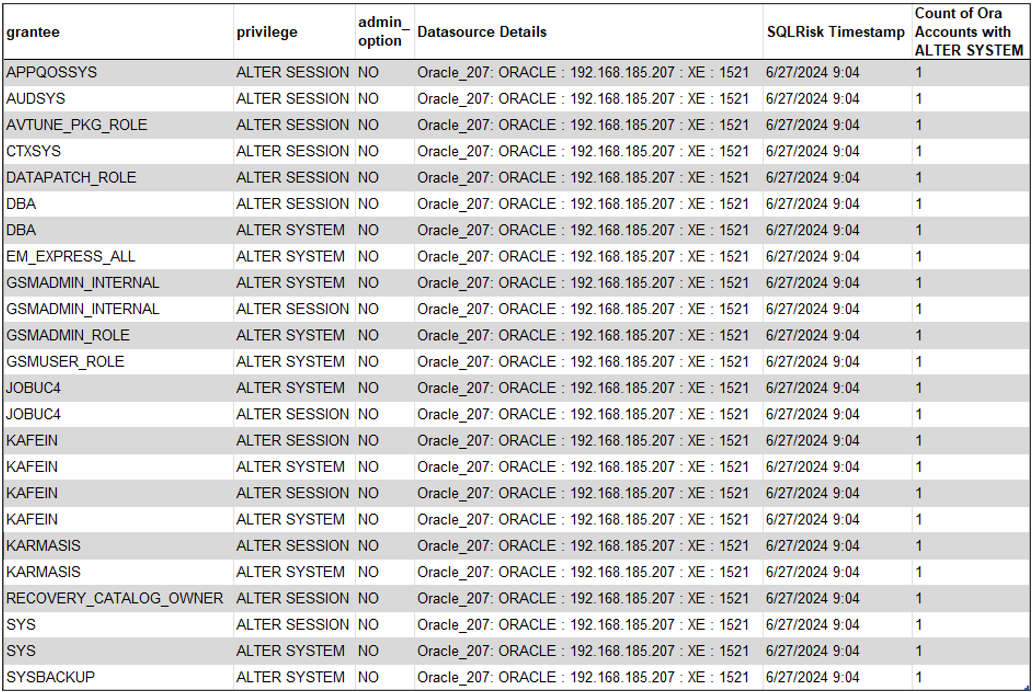
User Granted to Alter System
The report lists Oracle database accounts with their respective privileges and the details of their data sources. It includes information about the type of privileges granted, whether the admin option is enabled, and the SQL risk timestamp.
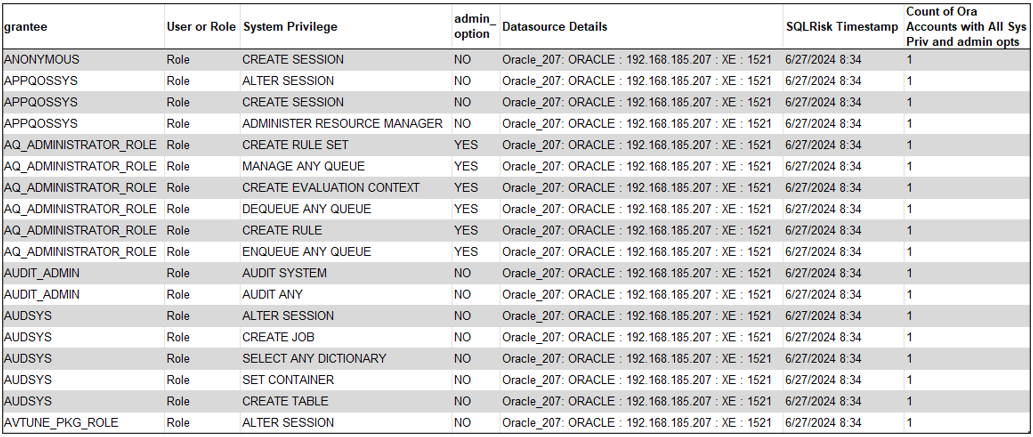
All System Privileges and Admin Options
The report provides information on the system privileges assigned to various roles in an Oracle database. It includes details such as the grantee (role), the specific system privilege, whether the privilege includes the admin option, the data source details, the timestamp of the data, and the count of Oracle accounts with all system privileges and admin options.
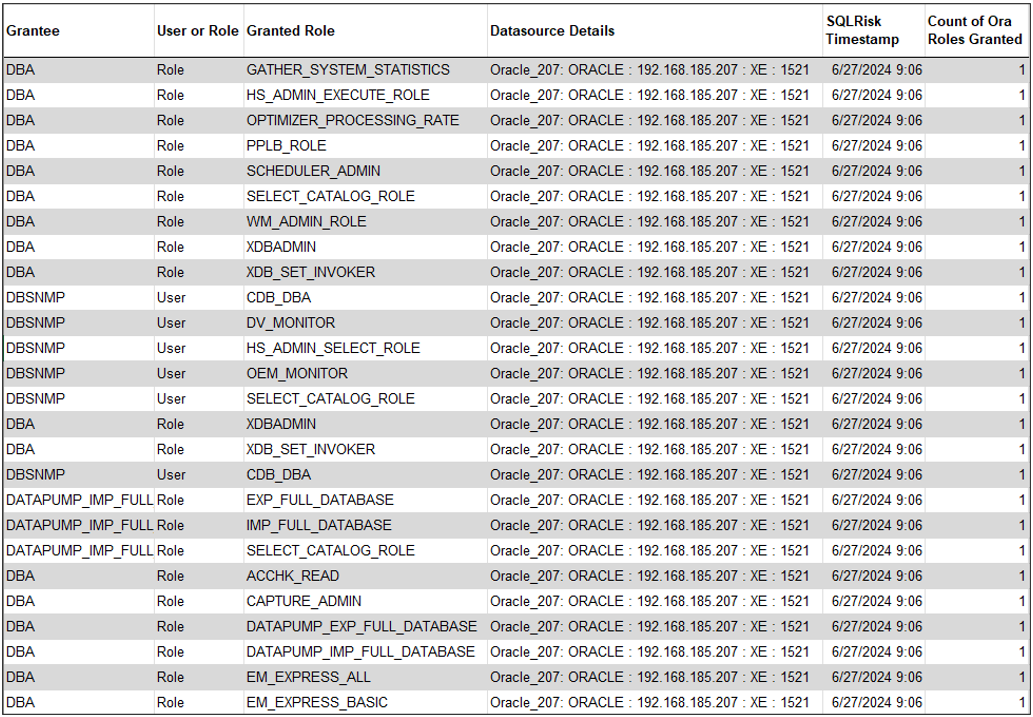
Roles Granted
The report contains a list of authorizations and roles granted to specific users or roles in the Oracle database. Each row indicates a specific authorization granted to a user or role and the data source in which that authorization resides.
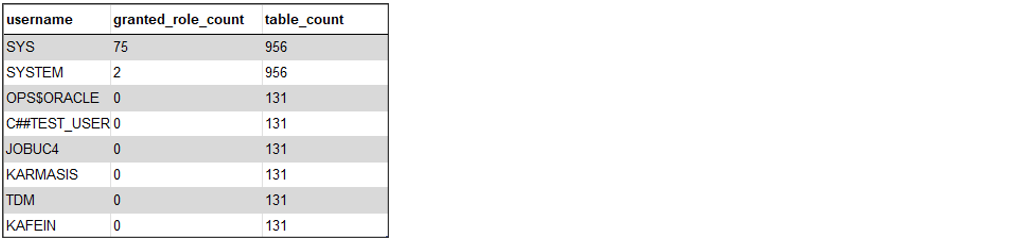
User Granted Role and Table Count
The report provides information about different Oracle database users, including the number of roles granted to each user and the count of tables they have access to. It helps in understanding user privileges and the extent of their access within the database.
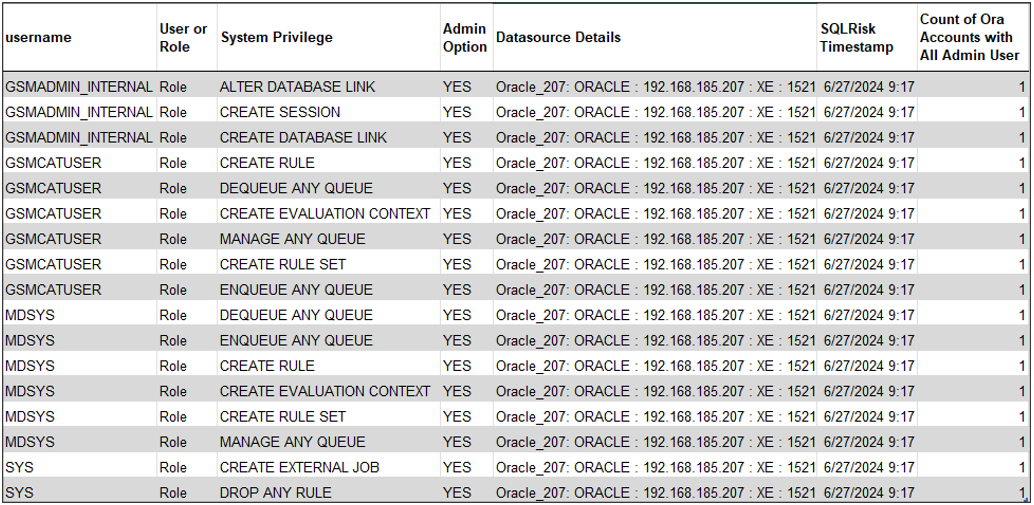
All Admin User Roles
The report provides information about various Oracle database roles, including the system privileges granted to each role, whether they have admin options, and their associated data source details. It helps in understanding the administrative capabilities and privileges assigned to different roles within the database.
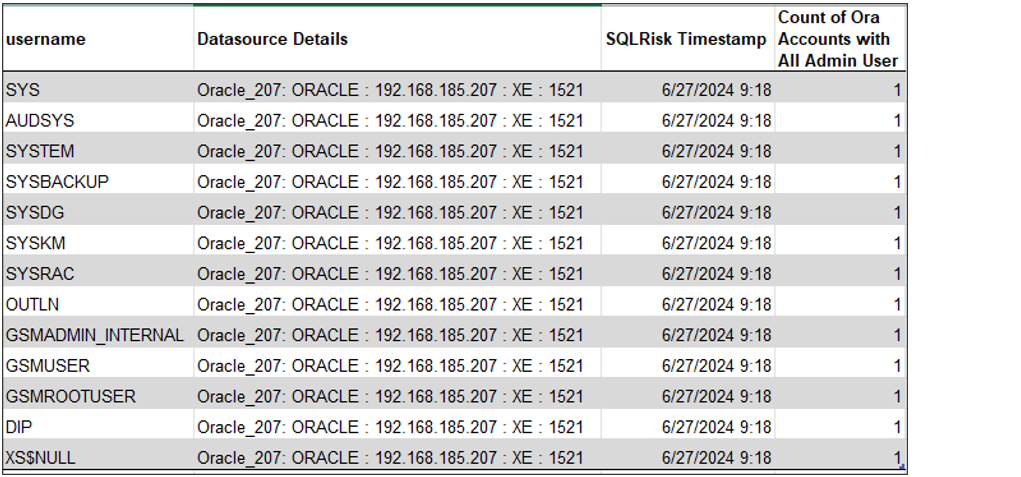
All User
The report lists Oracle database users along with their data source details, the timestamp of the SQL risk assessment, and the count of Oracle accounts with full admin privileges. It provides insight into the administrative access and security status of various users within the database.
All User and Admin Count
The report provides information about the number of admin and user accounts in an Oracle database, along with details about the data source and a timestamp indicating when the data was recorded. It helps in assessing the distribution of administrative privileges and user accounts within the database.
