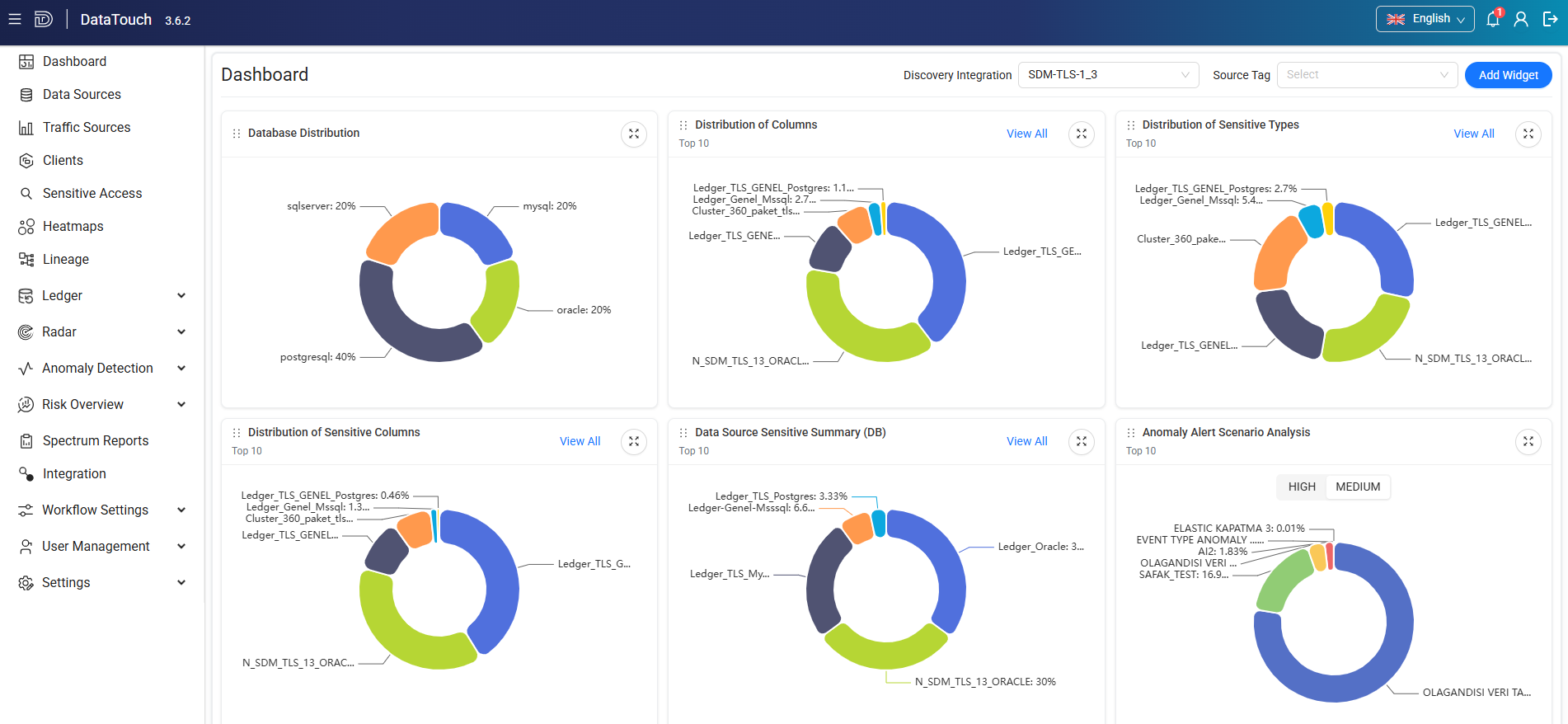
| Dashboard |
Provides an overview of data sources, sensitive data, anomaly alerts, risk information, Discovery integrations, and reports. |
| Data Sources |
Displays discovered and configured data sources and provides access to source dashboards, heatmaps, ledger definitions, and data usage information. |
| Traffic Sources |
Displays traffic sources and provides access to traffic source analytics and data usage information. |
| Clients |
Displays database and operating system users and provides access to client usage, lifecycle, and query information. |
| Sensitive Access |
Used to create and manage reports that analyze access to sensitive data and provide detailed catalog, client, and query-level information. |
| Heatmaps |
Used to create visual analyses of table queries, client activity, and query counts by action type. |
| Lineage |
Used to visualize relationships and data movement between tables, columns, and clients. |
| Ledger |
Used to configure and monitor database change tracking and related alerts. Includes Management and Alerts submenus. |
| Radar |
Used to identify database assets and verify whether they are monitored by the DAM Agent. Includes UCMDB, Excel, and Discovery Integration submenus. |
| Anomaly Detection |
Used to monitor detected anomalies and configure anomaly detection scenarios. Includes Dashboard and Scenarios submenus. |
| Risk Overview |
Provides risk analysis for data sources and users. Includes Risk Dashboard, Data Source Risk, and User Risk submenus. |
| Spectrum Reports |
Used to create, run, manage, and review Spectrum reports and their execution results. |
| Integration |
Used to configure external integrations, define integration events, and manage message templates. The page contains Integrations, Events, and Templates tabs. |
| Workflow Settings |
Used to execute, design, deploy, monitor, and manage workflow processes. Includes Flow Execution, Process Cockpit, Flow Design, Deployment, Flow Users, and Flow Reports submenus. |
| User Management |
Used to create and manage Data Touch users, roles, and access assignments. Includes Users and Roles submenus. |
| Settings |
Provides configuration options for Data Touch components and system behavior. Includes Data Source, DAM, Discovery Integration, Risk, Anomaly, Report Parameters, System Parameters, UCMDB - Settings, Source Settings, Sensitive Settings, Health Check, and Octo Integration submenus. |
 |
Expands or collapses the navigation menu. Collapse the menu to provide more space for the main content area. |
 |
Changes the interface language. Turkish and English are available. |
 |
Provides access to user information, product details, and the User Guide. |
 |
Signs the current user out of Data Touch. |